Included free

Everything below works on the device with no account.

Web capture

Any page, stripped to the text

The browser extension turns the page you are on into a clean, readable archive item in one keystroke. No tab left open as a reminder, no reading list that only grows. Capture the whole article, or select a passage first and save only that.

  • Ctrl/Cmd + Shift + E reads the current page
  • On a news site rather than an article, the same shortcut opens that site as a headline stream
  • Ctrl/Cmd + Shift + F opens FlowReader itself
  • Select text before capturing to keep only that passage
  • Boilerplate, navigation and ad furniture are stripped on the way in

File formats

PDF, ebooks, documents and comics

Documents, ebooks and comics already on your disk open in the same reader as everything else, with their structure intact. Ebooks keep real chapters and a working table of contents, so Book mode paginates them properly instead of treating them as one long scroll.

  • PDF: documents with a text layer
  • DOCX: headings, lists and emphasis preserved
  • EPUB and FB2: chapters and contents kept
  • MOBI, AZW and AZW3: Kindle-family ebooks
  • TXT, Markdown, HTML and RTF
  • CBZ and CBT comics, in a paged reader of their own
  • Pasted text, with structure inferred from the clipboard

News sites

Any news homepage as an article index

Point FlowReader at a news site and it turns that site’s front page into an index of what it is actually publishing: headlines and thumbnails in one list, without the ad furniture, the video autoplay and the newsletter overlay. There is no per-site setup and no list of supported publications: the same extraction runs on any news site you open.

  • Works on any news site, with no per-site configuration and no supported-sites list
  • The front page is read and merged with the site’s own feed, so you get the whole section rather than the handful of stories that render before JavaScript runs
  • Ctrl/Cmd + Shift + E on a news site opens its index instead of saving the page
  • Sites you read are collected into a News Sites section in the sidebar automatically
  • List or grid, keyboard navigable, refreshed on demand
  • Open anything from the index straight into the reader

RSS & Atom

Subscriptions with OPML

Subscribe to feeds and set how often each one is checked, rather than accepting a single global interval. Bring an existing reader’s subscriptions in, and take them out again, through OPML.

  • Per-feed refresh intervals
  • OPML import and export
  • Full article text pulled into the reader, not just the summary
  • News-site index pages can be saved as headline streams

Hacker News

Feeds, comments, inline articles

Read Hacker News without the tab explosion. Browse the front page and the other feeds, archive the linked article in one action, and keep the comment thread one view away instead of one window away.

  • Top, New, Best, Ask, Show and Job feeds
  • Comment threads browsable in place
  • Linked articles archived into the reader

Lobsters

Feeds and comment browsing

The same treatment as Hacker News for Lobsters: browse the feeds, follow a discussion, and send the underlying article to the archive to read properly later.

  • Feed browsing
  • Comment threads in place
  • Linked articles archived into the reader

arXiv

Category browsing and power search

Follow the categories you work in and run precise field-scoped searches, then hand a paper straight to the reader without a download step. Papers land in the archive alongside everything else, so they are searchable next to your own notes.

  • Browse by arXiv category
  • Power search across title, author, abstract and identifier
  • Straight into the reader, with no manual download
  • Saved papers join archive-wide search and the knowledge graph

Royal Road

Serials as multi-chapter books

Web serials import as real multi-chapter books rather than a pile of loose posts, with chapters fetched progressively so a long fiction does not block on a single enormous import. Chapter-aware progress means you always know where you are, and new chapters arrive as chapters.

  • Serials become one book with a real contents list
  • Chapters hydrate progressively in the background
  • Chapter-aware progress and position restore
  • Book mode pagination across the whole work

OPDS

Open ebook catalogues

Point FlowReader at any OPDS catalogue: a public library, a self-hosted Calibre server, a community archive. Browse it inside the app, and pull books into your library.

  • Browse any OPDS-compatible catalogue
  • Works with self-hosted servers
  • Books import with chapters and contents intact

Reading-list imports

Bring an Instapaper archive

Moving in from another reading service should not mean abandoning what you already saved. An existing Instapaper export imports into the archive.

  • Instapaper archive import

Included with Pro

These reach outside the device: to a work tenant, to a mailbox, or to a server that keeps watching while the app is closed. That is why they need Pro, and why some need an account.

SharePointPro

Work documents, read-only

Browse the Microsoft SharePoint sites and document libraries you already have access to, open supported documents in the reader, and import them into your archive. The integration is delegated and strictly read-only. FlowReader can never edit, upload or delete anything, and never asks for application permissions over a tenant.

  • Browse the sites and libraries your account can already see
  • Read-only: no edit, upload or delete permission is ever requested
  • Sign-in uses OAuth 2.0 with PKCE and no client secret
  • Consent is staged: sign-in first, document access only when you open the page
  • Authentication happens directly between your device and Microsoft; tokens never reach a FlowReader server
  • Imported files keep their Microsoft identifiers, so duplicates and upstream changes can be detected

NewslettersProAccount

Read them in FlowReader, not in your inbox

FlowReader gives you a private alias address. Subscribe with it instead of your personal mailbox and the newsletters arrive directly in your archive, as clean, readable items sitting next to your articles and books, rather than as mail competing with your actual mail. Your inbox stops being a reading queue.

  • A private alias address, used only for subscribing
  • Issues land straight in the archive as normal readable items
  • Content is sanitized on arrival: attachments and remote resources are dropped
  • No raw message source and no raw HTML is stored
  • Aliases can be disabled, and individual senders blocked
  • Newsletter issues join archive-wide search, Smart Rules and the knowledge graph
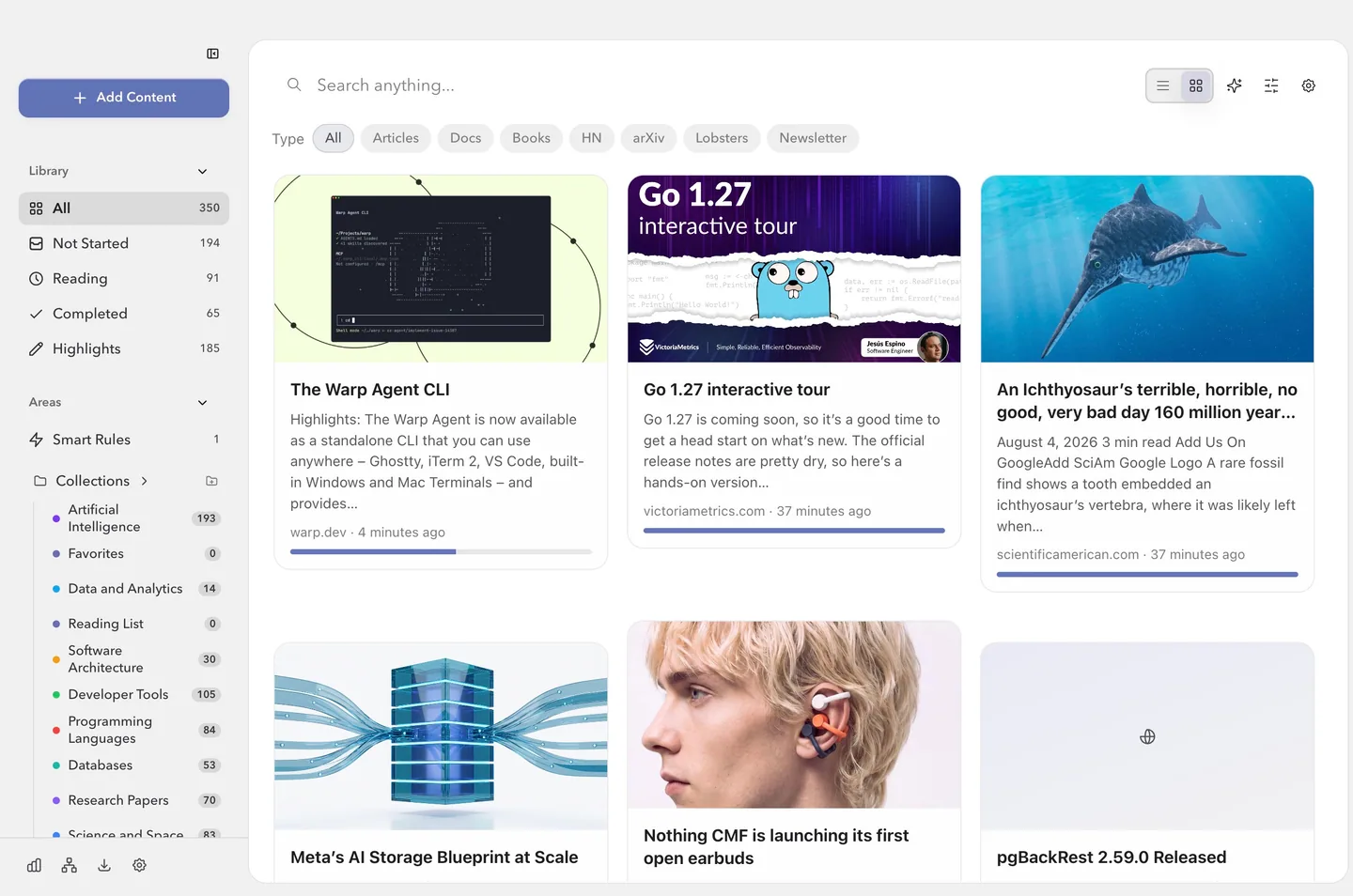
The FlowReader archive in list view, showing saved articles and an imported book with reading status, source and date for each item.
Whatever it arrived as, it is an item in the archive: same reader, same search, same position memory.

Build a reading library you will actually return to

Get the desktop app or the browser extension.