Security and data control
Where your data is stored
By default, FlowReader keeps your library on your device. This page explains what stays there, what leaves it and what each option changes.
Stored on your device
Your library, reading positions, notes, highlights, search index and knowledge graph are stored on your device, in a local database. Everything already saved stays readable offline. None of it needs an account.
What each sync option means
The options work differently, so each one is listed with what protects your data. Online Sync runs through FlowReader’s service. Folder and Dropbox sync write your library to storage you control, with no FlowReader server involved. None of them is end-to-end encrypted.
Local only
The default. Your library stays on one device, and nothing leaves it. Reading needs no account and no network.
Nothing leaves the device, so no transfer and no server is involved.
Online Sync
ProThe browser extension and the desktop app stay in step through FlowReader’s own service, almost in real time and without you doing anything. It’s the option that makes a second device feel like the same library.
Protected by your account sign-in, encryption in transit (TLS) and per-user rules on the server, which keep one account’s data away from another. It isn’t end-to-end encrypted, so the service can technically read what it stores.
Local folder
ProYour devices sync through a folder you control, such as an iCloud Drive or Google Drive folder or a network share. It works in the desktop app and in Chromium-based browsers. In Firefox, use Online Sync or Dropbox.
FlowReader writes the library to the folder as an ordinary file and doesn’t encrypt it. Whatever protects the folder protects the file, such as your disk encryption, your file-sync service or your network share. No FlowReader server is involved, and FlowReader never sees the folder.
Dropbox
ProOnly in the browser extension, in Chromium and Firefox. The desktop app doesn’t offer it. FlowReader has no Dropbox app of its own, so you register one with Dropbox and give FlowReader its app key. It’s slower to catch up than Online Sync, but no FlowReader server is involved.
FlowReader writes the library to your Dropbox as an ordinary file and doesn’t encrypt it. Your Dropbox account protects it, and Dropbox can read it. No FlowReader server is involved.
What syncs, and what stays out of library sync
With sync on, these travel between your devices.
- Reading positions, so you can stop on the laptop and go on mid-paragraph on the desktop
- The library itself, with its items, collections, tags and reading status
- Highlights, notes and annotations
- Reader settings, presets and your own themes
- News sites, feed subscriptions and feed settings
- Smart Rules and reading statistics
- Assistant Tasks and chats, but only with Online Sync
- Enough cached content to reopen a saved item on a device that never downloaded it
These stay out of the library data on every sync option.
- AI keys. They’re never part of the library data. Online Sync copies them separately, as described under “Your AI keys”
- Search indexes and other derived data, which each device rebuilds itself
- Temporary state, such as import progress, background queues and open panels
Your AI keys
AI features use a key from your own AI provider, or a local model in Ollama or LM Studio, which needs no key. FlowReader has no AI key of its own. Keys are stored encrypted on your device. Where a key can go from there depends on which of three cases applies.
Library sync
Keys are never part of the library data that sync carries, whichever option you use. Folder and Dropbox sync do not carry them at all.
Copying keys to your other devices
With Online Sync and Pro, FlowReader copies your keys to your other signed-in devices, so you only enter each key once. Your device encrypts each key for a key held by FlowReader’s server, and it’s stored that way. When another of your devices asks for it, the server decrypts it and encrypts it again for that device. That isn’t end-to-end encryption, because FlowReader’s server can read a key while it copies it. This happens whenever Online Sync is on.
Monitors that run on the server
A Monitor that uses AI runs on FlowReader’s server, even while your devices are off. For that, your device also stores your provider key with FlowReader, and a web search key if you use one. Both are encrypted for the same server key. When the Monitor runs, the server decrypts the key and sends the text it collected to your provider. Monitors that only collect from sources or flag changes need no key.
Untrusted content
Newsletters, feeds and saved web pages are treated as untrusted, and they’re cleaned when they arrive. When saved or web content goes into an AI prompt, it’s marked as data, not as instructions. Network tools need your consent for each site, and outgoing links follow a strict policy.
Export and deletion
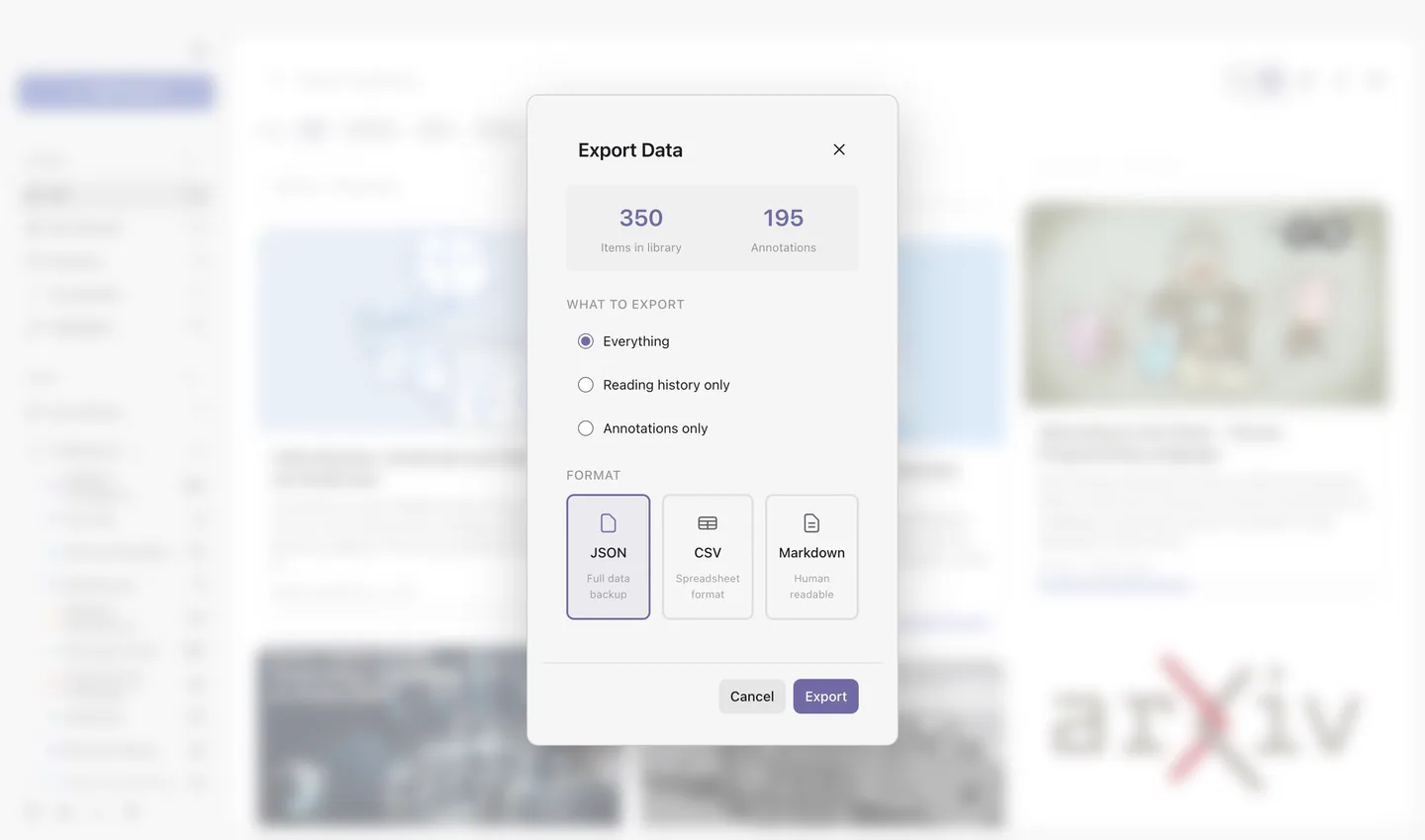
You can export at any time. Reading history and annotations export as JSON, CSV or Markdown, your feeds as OPML and any collection as a FlowCollection file. You can delete local data in Settings. If sync is on, you can also delete the data held online and your account.
Reporting a vulnerability
Don’t open a public issue for a suspected vulnerability. Send a private report with the affected version, runtime, steps to reproduce, impact and any suggested fix. Leave out production credentials and user content. We acknowledge a complete report within five business days. Then we rate its severity and agree on a fix and a disclosure timeline with you. Mark a report about active credential theft or remote code execution as urgent.
FlowReader doesn’t claim any security certification, external audit, zero-knowledge design, guaranteed encryption, data-residency commitment or regulatory compliance. Nothing on this page should be read as one.